You can change your Blue Tracely plan, or move to a plan with more credits, at any time from Buy credits under Subscription in the dashboard sidebar, or by going to the Buy credits page. This article explains how credits are used, where to see your current plan, and what happens when you change it.
Only organization owners and admins can choose or change a plan. Members can open the billing pages but can't make changes.
How credits are used
- One credit is used for each person or company Blue Tracely identifies for you, counted once per person or company in each calendar month (UTC).
- People and companies share one pool of credits.
- Your plan includes a number of credits each month, its allowance. Unused credits don't carry over.
- When the allowance is used up, identification pauses until the next month, unless an owner or admin has turned on overages.
See Understanding the Blue Tracely Credit System for the details.
Viewing your current subscription
Open Subscription details under Subscription in the sidebar, or from your account menu, to see:
- your plan, such as Pro Plan or, during your trial, Pro+ trial, and its status, such as Active or Past Due;
- Credit Usage: the credits used this month out of your allowance, split into Person-level and Company-level, with what's Remaining and the dates of the current Cycle (UTC);
- Subscription Details: Subscription Amount, Monthly Credits, Additional Domain Seats, Overages and the date you're next Billed on.
See Subscription Details Page Overview.
Changing your plan
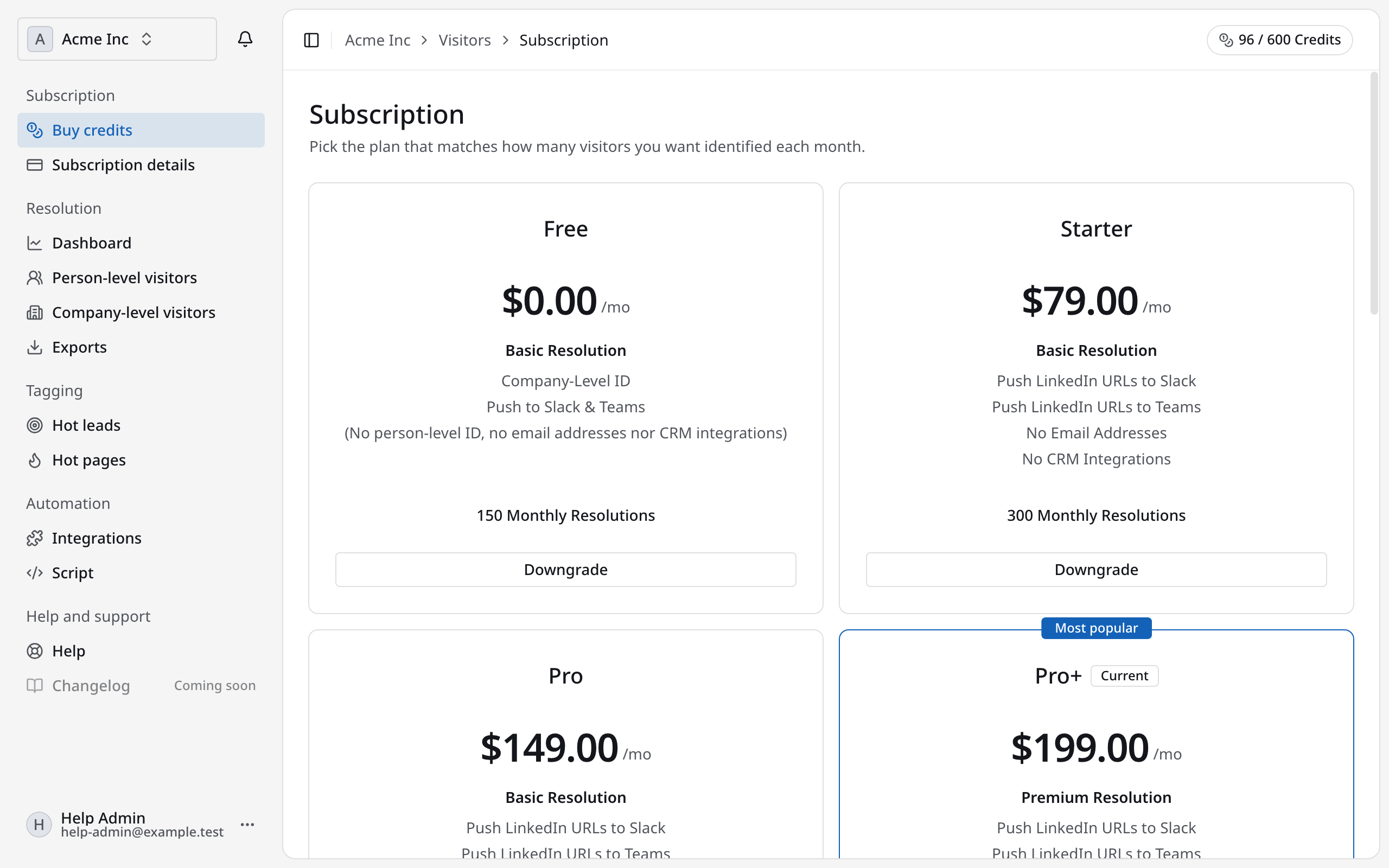
The Buy credits page shows a card for each plan: Free, Starter, Pro and Pro+. Pro and Pro+ come in several sizes. Choose the number of credits from the list on the card, shown as Monthly Resolutions. Below the cards, Compare Features by Category lists what each plan includes. See Blue Tracely Plans Side-By-Side Comparisons.
If you don't have a paid plan yet
On the Free plan or during your trial:
- Choose the plan and the number of monthly credits.
- Select Select.
- Complete the payment on the secure checkout page. You can enter a promotion code there if you have one.
- You return to the dashboard, which shows Confirming your purchase until your plan is active.
If you already have a paid plan
- Choose the new plan, or a different size of your current plan, and select Upgrade or Downgrade.
- The Review plan change dialog shows your Current and New plan, what is Due now, any Credit on your next invoice, the Next invoice amount and the Next billing date.
- Select Confirm upgrade or Confirm downgrade.
A plan that costs more is an upgrade, and one that costs less is a downgrade.
- Upgrades take effect immediately. The prorated difference for the rest of the billing period is charged to your payment method, and the new allowance applies at once. If the payment is declined, your plan isn't changed.
- Downgrades take effect immediately too. Nothing is charged; the unused time on your previous plan is credited to your next invoice. If the new plan doesn't include an add-on you have, such as additional domain seats, the dialog lists it under Add-ons removed with this change.
To move to the Free plan, select Downgrade on the Free card. This cancels your subscription: you keep your paid plan until the end of the billing period, then move to Free. See Canceling or Downgrading Your Blue Tracely Subscription.
If your subscription is set to cancel, you can't change plans until you reactivate it. Select Reactivate on the Billing and Invoices page.
Getting more credits
Blue Tracely doesn't sell separate credit packs. To get more credits each month, you can:
- Move to a larger size or plan. The new allowance applies straight away. Credits you've already used this month still count, so what's Remaining is your new allowance minus what you've used.
- Turn on overages. You pay for each credit beyond your allowance, up to a maximum you set. See Overages FAQs.
Credits and your billing date
Your credits and your bill run on different calendars:
- Credits start again at zero on the first day of each calendar month, in UTC. Cycle (UTC) on Subscription details shows the current one.
- Your bill renews on your billing date, shown as Billed on. Changing plans doesn't change it.
Credit purchase troubleshooting
- Your payment was declined. The plan isn't changed. Update your payment method with Manage Billing on the Billing and Invoices page, then try again. See Updating Your Billing Information.
- The page says Your payment is still processing. The payment was accepted but your account hasn't been updated yet. Select Try again; retrying is safe.
- The plan buttons are disabled. Only owners and admins can change plans, and plans can't be changed while a subscription is set to cancel.
If something still looks wrong, write to us at hello@bluetracely.com.