Overage lets Blue Tracely keep identifying visitors after your monthly allowance is used up. Each extra credit is charged at your plan's overage rate, up to a maximum you choose.
Who can use overages?
Overages are available on the Starter, Pro and Pro+ plans, with an active paid subscription. They aren't available on the Free plan or during the trial. Only organization owners and admins can change the setting; everyone else sees which option is in force.
At what rate are overages charged?
| Plan | Overage cost per credit |
|---|---|
| Starter | 45¢ |
| Pro | 25¢ |
| Pro+ | 25¢ |
The rate is also shown as Overages under Subscription Details on the Subscription details page.
How do I turn overages on or change my maximum?
- Open Subscription details, from Subscription in the sidebar or your account menu.
- In the Overages card, select Enable overages, bill me for additional credits.
- Enter Maximum additional credits: the most extra credits you'll pay for in a month.
- Select Save.
A message confirms Overage is on. If it says Saved. It can take a few minutes to take effect., the change is stored and applies shortly.
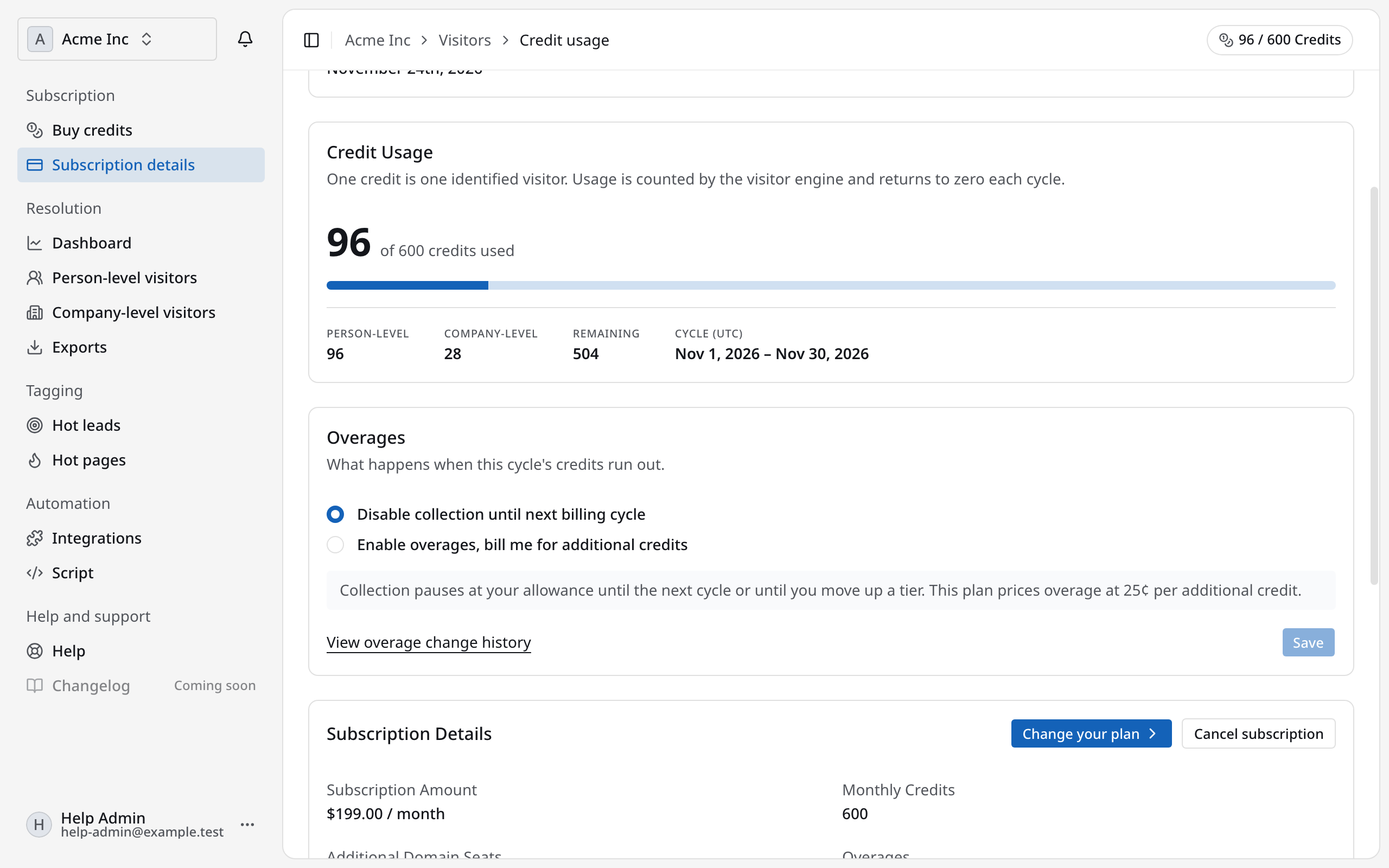
Overage is off until you turn it on, and it can't be turned on without a maximum.
Is there a limit to the maximum I can set?
Yes. The most overage can cost on your plan is the price difference to the next size up, so the maximum is capped at that amount divided by your overage rate. The field shows the allowed range, and as you type, the card compares the cost of your maximum with moving up a size.
For example, on Pro with 600 credits ($149), the next size is Pro with 1,250 credits ($249). The $100 difference at 25¢ a credit allows up to 400 additional credits, and the card shows "Up to 400 additional credits would cost up to $100.00." and "Moving to Pro $249 costs $100.00 more per month and includes 650 more credits."
If you need more than the maximum regularly, a larger plan usually costs the same or less for more credits. See Managing Your Blue Tracely Plan and Credits.
How do I turn overages off?
Select Disable collection until next billing cycle in the Overages card, then select Save. Turning overages off is always allowed. Overage already used this month is still charged. When your allowance is used up, new visitors aren't identified until your credits reset on the first day of the next month (UTC).
What happens after I turn overages on when I've already run out of credits?
Identification resumes on its own, up to your new maximum. You don't need to change anything on your script.
How are overages calculated and billed?
Only credits beyond your monthly allowance count as overage, and never more than your maximum. Overage is counted per calendar month (UTC), like your credits, and is billed with your subscription to your payment method on file. Credits used before you turned overage on, or before a downgrade, aren't charged as overage.
What happens to my overage setting when I change plans?
Your setting is kept. The rate follows your new plan, and if your maximum is higher than the new plan allows, the lower limit applies. If you cancel and later subscribe again, save the setting again: until you do, the card says "Overage is saved but not in force on your current subscription: save it again to activate it."
How can I see the history of changes to my overage setting?
Owners and admins can select View overage change history in the Overages card. The Overage change history page lists each change with these columns:
- Overage: whether overages were turned on or off.
- Max credits: the maximum that was set.
- User: the email address of the person who made the change.
- Date: when the change was made.
- IP: the IP address it was made from.
- User agent: the browser and device used.