This guide shows how to add the Blue Tracely snippet to an Angular application so it loads once, on every page a visitor opens.
Before you begin
- Add your domain on the Script page. See Installing Your Blue Tracely Tracking Script.
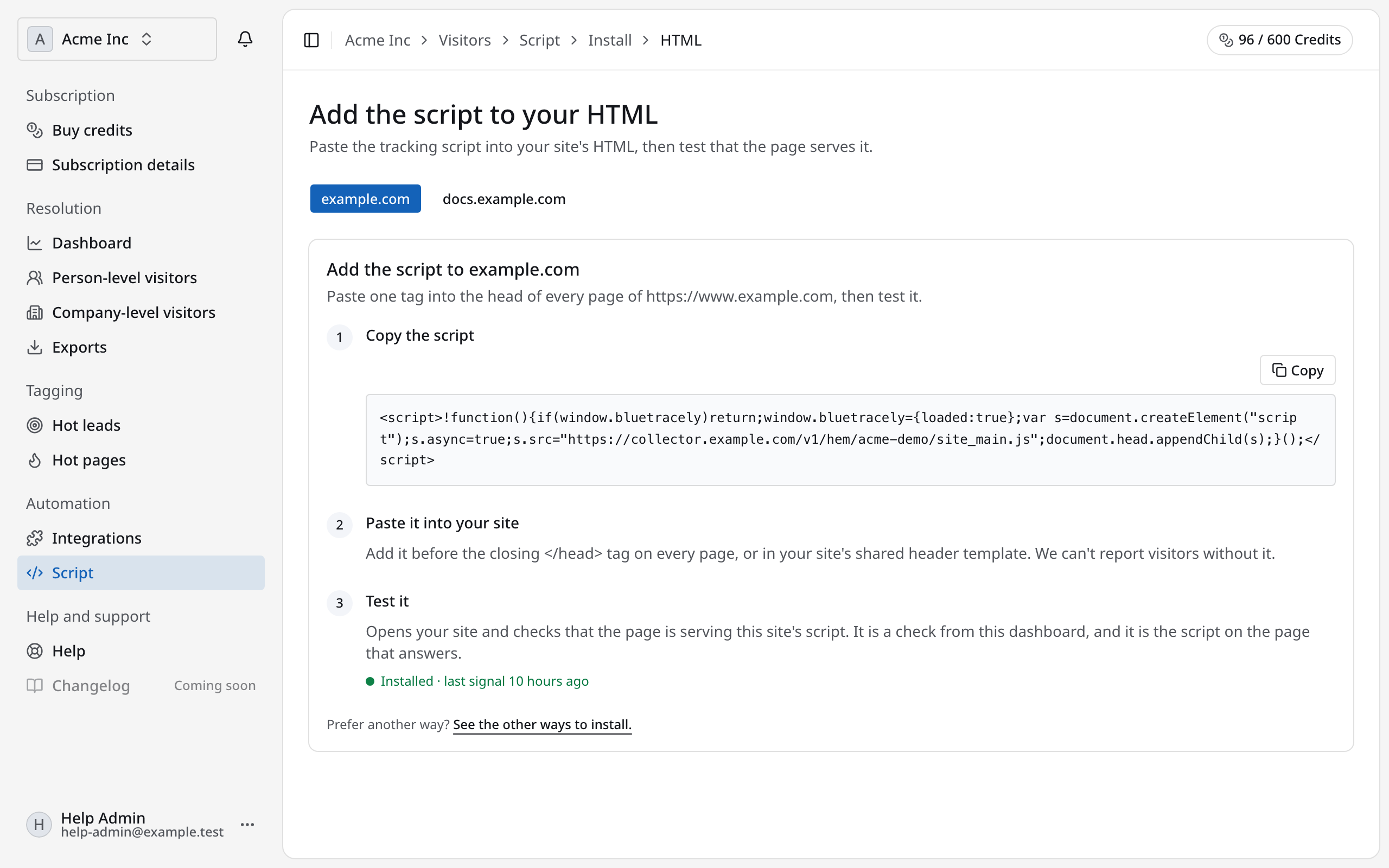
- Copy your snippet: on the Script page, select Install next to your domain, then Add it to your site's HTML, and under Copy the script, select Copy.
How the script behaves in an Angular app
The script reports one page view per full page load. When the Angular router moves a visitor to another route, no new page loads, so that route isn't reported. The visitor can still be identified from the page they loaded first. Loading the snippet again on route changes doesn't add page views: the snippet does nothing when the script is already on the page. See Single Page vs. Multi-Page Sites: A Data Collection Perspective.
Option 1: index.html (recommended)
Every Angular app is served from one HTML file, usually src/index.html.
- Open
src/index.html. - Paste your snippet, unchanged, just before the closing
</head>tag. - Build and deploy your app.
This places the snippet in the page head, where it loads earliest, with no Angular code needed.
Option 2: A loader service
If you need to load the snippet from Angular code instead, create a service that adds the snippet's code once. Use only the code between <script> and </script> from your snippet, unchanged:
// blue-tracely-loader.service.ts
import { DOCUMENT } from "@angular/common";
import { Injectable, inject } from "@angular/core";

const BLUE_TRACELY_SNIPPET = `/* Paste the code between <script> and </script> from your snippet here */`;

@Injectable({ providedIn: "root" })
export class BlueTracelyLoaderService {
	private readonly document = inject(DOCUMENT);

	load(): void {
		if (this.document.getElementById("blue-tracely")) return;
		const script = this.document.createElement("script");
		script.id = "blue-tracely";
		script.text = BLUE_TRACELY_SNIPPET;
		this.document.head.appendChild(script);
	}
}
Call it once from your root component:
// app.component.ts
import { Component, OnInit, inject } from "@angular/core";
import { BlueTracelyLoaderService } from "./blue-tracely-loader.service";

@Component({
	selector: "app-root",
	templateUrl: "./app.component.html",
})
export class AppComponent implements OnInit {
	private readonly blueTracely = inject(BlueTracelyLoaderService);

	ngOnInit(): void {
		this.blueTracely.load();
	}
}
The snippet's code contains no backticks, so it fits inside the template literal as it is. If your app renders on the server, call load() only in the browser.
Check the installation
Deploy your app, open your live site, then go back to the Script page and select Test script next to your domain. When the script answers, you'll see "The script is installed on your website." See Verifying Your Script Installation.
Don't replace the snippet with a tag that loads the script file directly. The snippet sets things up before the file loads, and without it Test script reports that your website is running a different version of the script.