You can search both visitor lists to find a specific person or company, and combine the search with filters. This article explains what the search matches and how to use the filters.
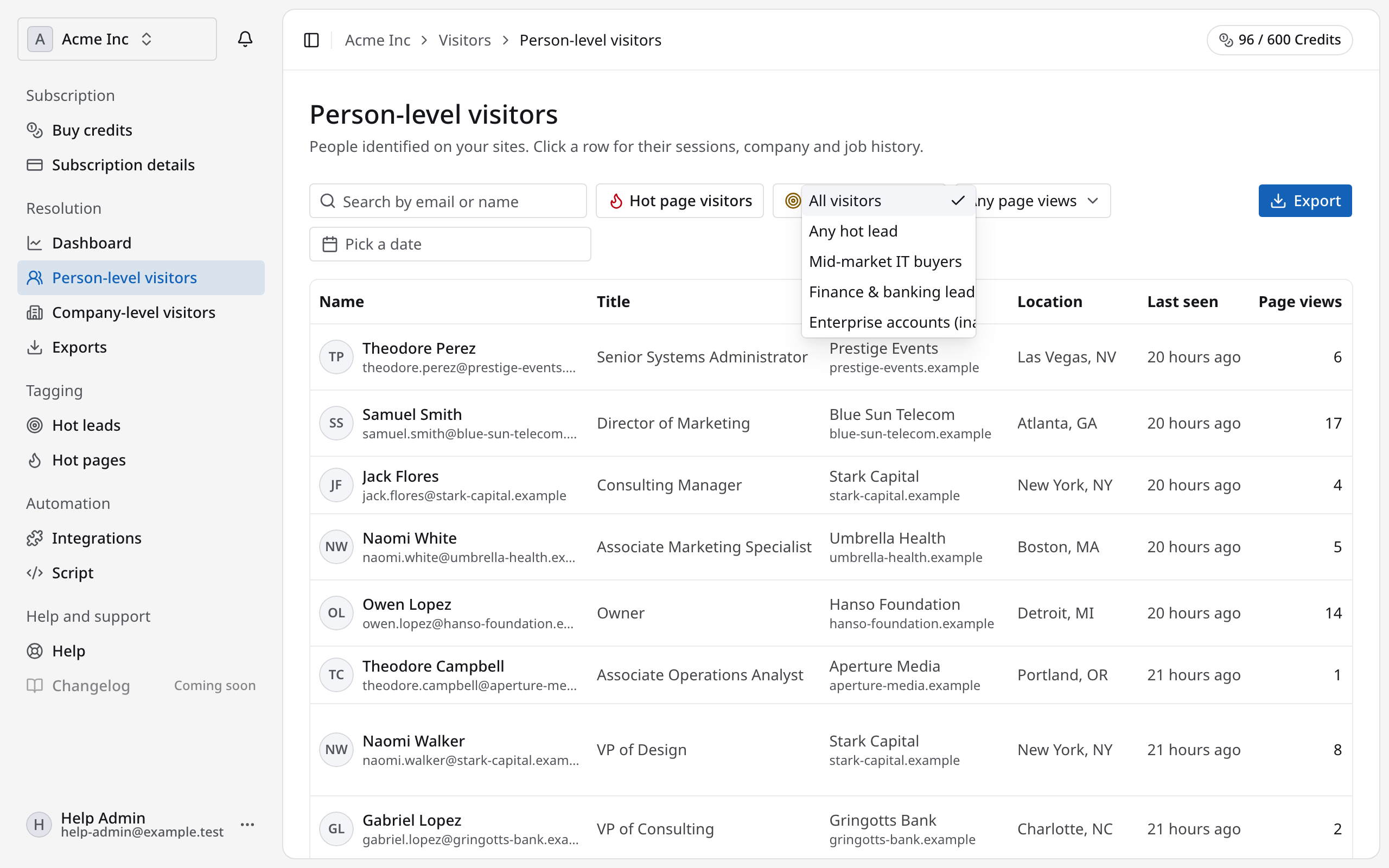
Searching for a person
- Go to Person-level visitors.
- Type in the search box, which reads Search by email or name.
The list updates as you type. The search matches any part of:
- the person's name;
- their company's name;
- their business or personal email address, on the Pro and Pro+ plans.
You don't need the full value. For example, @example.com finds people whose email address contains it, and Acme finds people at companies whose name contains it.
Searching for a company
- Go to Company-level visitors.
- Type in the search box, which reads Search by company or domain.
The search matches any part of the company's name or website domain.
Combining the search with filters
Next to the search box you can add:
| Filter | What it does |
|---|---|
| Hot page visitors | Shows only visitors who viewed one of your hot pages. Pro and Pro+ |
| Hot leads (person-level only) | All visitors, Any hot lead, or one of your hot lead filters. Pro and Pro+ |
| Page views | Any page views, 2+ page views, 5+ page views, 10+ page views or 20+ page views |
| Date range | Shows only visitors seen between two dates. Days are counted in UTC |
When your plan doesn't include a filter, it can't be selected, and a note links to the upgrade options.
When you open the list from a page or a UTM campaign on the Dashboard, a Page: or UTM campaign: chip shows that filter. Select the x on the chip to remove it.
To start over, select Clear filters.
If nothing is found
The list says "No entries found." Check that:
- the spelling matches what's on the profile;
- no other filter, such as a date range, is hiding the visitor;
- on Person-level visitors, you're not searching by email address on a plan without email addresses.
The search only covers the visitors still in your account. Identified visitors are kept for 30 days by default. See Viewing Identified Visitors.
Exporting your results
On Pro and Pro+, owners and admins can select Export to download the visitors that match the search and filters as a CSV file. See CSV Exports.