Blue Tracely tells you who is on your website. That's only useful if the person who follows up sees it in time. When one person holds the only login, identified visitors wait in their dashboard or inbox while the interest cools.
With your team in the same organization, each person sees the visitors that matter to them: a sales rep spots a prospect on the pricing page, a marketer sees which campaigns bring the right companies, and an account executive notices when an account they own comes back.
Who's worth adding?
- Sales development reps who handle first outreach, so they can act on new visitors directly.
- Marketing, to connect campaigns with the visitors they bring.
- Account executives, to see when their accounts visit.
- Managers or team leads who want to see pipeline signals.
What members can do
When you invite someone, you choose their role: Member, Admin or Owner.
- Every member can see your identified visitors and their tags.
- Owners and admins can also change settings, such as hot lead filters, hot pages, integrations and the script's capture settings, and invite or remove members.
How many people you can invite
- Paid plans (Starter, Pro and Pro+) don't limit the number of members, and members aren't charged for.
- The Free plan allows up to 3 members, pending invitations included.
How to invite teammates
- Open the account menu and select Users.
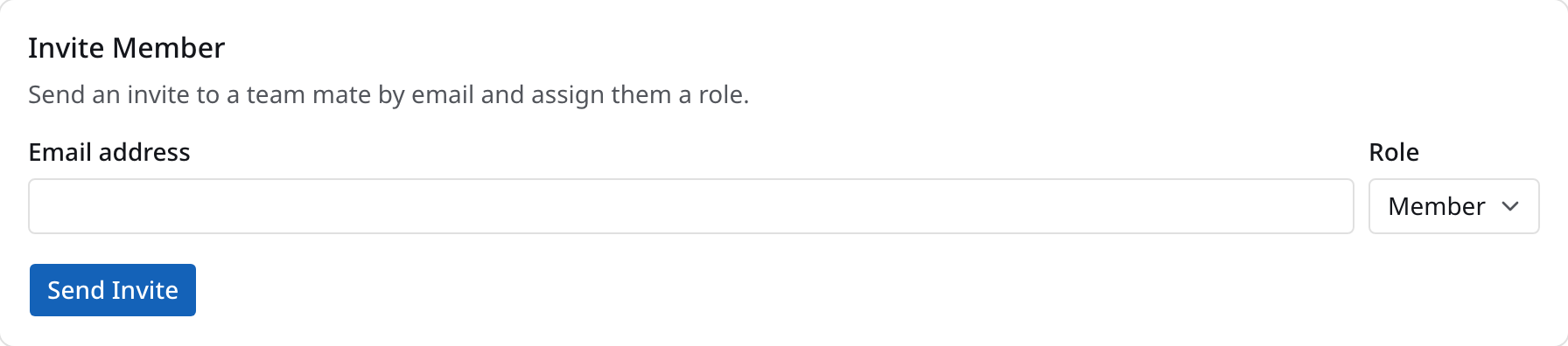
- Under Invite Member, enter their Email address and choose a Role.
- Select Send Invite.
They get an email invitation to join your organization.
See Adding or Removing Dashboard Users.
Get signals to people who don't open the dashboard
Not everyone on your team will check the dashboard every day. Send identified visitors to where they already work with the Slack or Microsoft Teams integration, or, on Pro and Pro+, HubSpot CRM or Salesforce CRM.